Your cart is currently empty!


TLDR (Common Printer Issues)
Unsure whether to repair or replace? Use a cost-based check: frequent breakdowns and high downtime may justify upgrading to reliable used equipment.
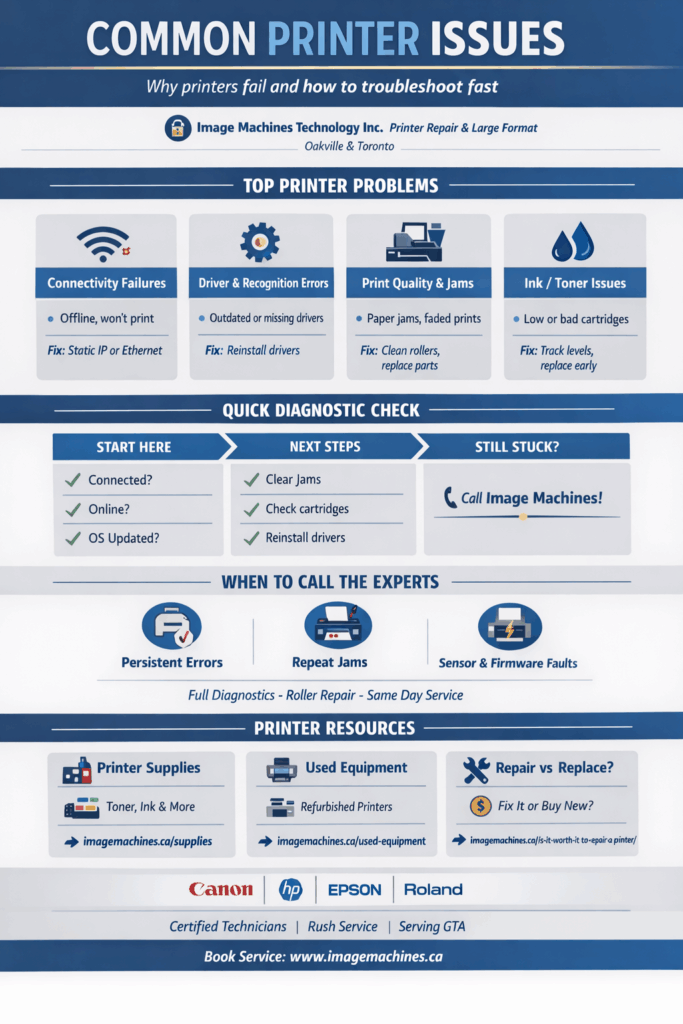
Most Printer Issues fall into 5 buckets: connectivity, drivers, paper handling/jams, print quality, and ink or toner.
If the printer keeps going offline, set a static IP or switch to Ethernet for stability.
If your computer can’t “see” the printer, reinstall drivers and use the manufacturer-recommended driver, not a random universal one.
Paper jams usually point to worn rollers or poor loading. Clear jams properly and replace feed and separation rollers when jams repeat.
Faded, fuzzy, or smudged output is often fixed by cleaning cycles, checking imaging components, or diagnosing a failing fuser on laser printers.
Ink or toner warnings become emergencies when ignored. Track levels, replace early, and use compatible supplies to prevent repeat issues.
If jams repeat in the same spot, errors won’t clear, or firmware and sensors are involved, it’s time for professional diagnostics.
By Image Machines Technology Inc.
“Printers are the only piece of office equipment capable of stopping an entire business over one sheet of paper.”
That line keeps resurfacing across IT departments, print shops, and service calls for a reason. Printer Issues are universal. They affect home offices, design studios, engineering firms, and enterprise environments alike. At Image Machines Technology Inc., we see the same failures repeat across brands, models, and industries.
This article breaks down the most common Printer Issues, explains why they happen, and gives you practical steps to troubleshoot safely. It also helps you decide when repair makes sense and when replacement is the smarter move.
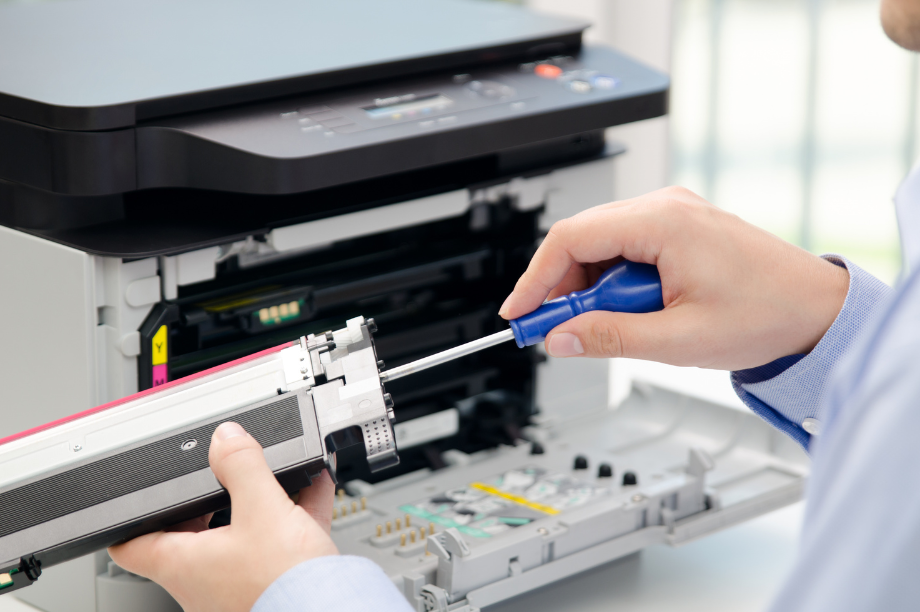
Printers combine mechanical components, electronics, firmware, drivers, and network communication into one device. That alone creates multiple failure points. Add dust, heat, infrequent maintenance, and heavy workloads, and problems become inevitable.
Most Printer Issues fall into a few predictable categories:
Once you understand these patterns, diagnosing problems becomes far easier.
Wireless printing is convenient until it stops working. Many users experience printers randomly disappearing from the network, jobs stuck in queue, or frequent disconnects. This is one of the most common Printer Issues reported by IT administrators.
Assign a static IP address
Printers that rely on DHCP can lose connectivity when their IP address changes. Assigning a static IP dramatically improves stability and prevents random offline errors.
Use Ethernet when possible
If reliability matters more than cable-free aesthetics, a wired Ethernet connection is still the most dependable option.
Restart network equipment intentionally
Power cycling only the printer is often not enough. Restarting routers or switches can clear stalled connections.
Driver-related Printer Issues often appear after operating system updates. The printer may show as installed but refuse to print, print blank pages, or produce corrupted output.
Reinstall the printer drivers
A clean reinstall resolves many recognition and communication issues.
Use manufacturer-recommended drivers
Universal drivers can work, but manufacturer-specific drivers usually offer better stability and access to full features.
Avoid multiple driver installations
Installing several drivers for the same device can cause intermittent failures and conflicts.
Brand reliability also plays a role in long-term Printer Issues, especially in high-volume environments. Certain manufacturers are easier to service and maintain over time. We cover common failures and repair considerations in more detail in our breakdown of common printer repairs and brand-specific issues.
Paper jams are the most visible Printer Issues, but they are rarely caused by paper alone. Worn rollers, dust buildup, and improper loading are frequent contributors.
Learn proper jam removal
Removing trays, cartridges, and access panels correctly prevents sensor damage and repeat jams.
Replace feed and separation rollers
Rollers are wear items. When they lose grip, misfeeds and timing errors follow.
Do not overload paper trays
Overfilled trays increase friction and alignment problems.
Many recurring jam-related Printer Issues come down to neglected maintenance. Preventative servicing reduces downtime and extends component life, especially in office and wide-format printers.
Print quality problems usually point to maintenance or consumable issues rather than catastrophic failure.
Run cleaning cycles
Use built-in cleaning functions before replacing parts.
Inspect imaging components
Dirty print heads, drums, or transfer belts can degrade output.
Check fuser performance on laser printers
If toner rubs off or pages exit smudged, the fuser may be failing.
Few Printer Issues create as much frustration as printers refusing to operate due to ink or toner warnings.
Monitor levels proactively
Ignoring warnings until the printer stops often leads to urgent downtime.
Replace cartridges before they are completely empty
Running consumables dry can damage internal components.
Avoid subscription refill programs
Many users report higher long-term costs and compatibility issues with subscription-based ink services.
Many recurring Printer Issues are caused by low-quality or incompatible consumables. Using the correct ink, toner, and maintenance supplies improves output consistency and extends printer lifespan. You can browse compatible printer supplies here:
https://imagemachines.ca/product-category/supplies/
Some printers are simply pushed beyond what they were designed to handle. Consumer-grade devices struggle under sustained workloads, leading to repeated Printer Issues.
Choose proven, reliable brands
For monochrome environments, Brother laser printers are often recommended for durability. Canon devices are widely known for consistent performance across inkjet and laser models.
Match the printer to the workload
High-volume offices should not rely on home-grade printers.
Consider enterprise-grade equipment
Higher upfront costs often translate into lower long-term service and downtime expenses.
When reliability becomes a recurring concern, upgrading equipment may be the better option. Professionally tested used printers and plotters offer dependable performance without full retail pricing. View available used equipment here:
https://imagemachines.ca/product-category/used-equipment/
Some Printer Issues go beyond basic troubleshooting and require expert diagnostics.
Call a professional when:
Not every printer failure automatically means replacement is the right move. Some Printer Issues look severe but are inexpensive to fix, while others indicate end-of-life equipment. If you are weighing repair versus replacement, this guide breaks down the real cost considerations:
https://imagemachines.ca/is-it-worth-it-to-repair-a-printer/
When Printer Issues persist, professional diagnostics save time and money. Image Machines Technology Inc. provides full-service printer repair, including component-level diagnostics, roller and fuser replacement, sensor calibration, and firmware troubleshooting. Learn more about our printer repair services here: Printer Repair Service